Recover the Insta360 timestamp.
For compatible photos, InstaDateFix looks for the date in IPTC or TIFF metadata, or in the original filename.
- Supported-format detection
- Capture time-zone selection
- Updates only recognized photos

Giuzzi Lab for iPhone
Dates fixed. Places restored.
Correct the date and time of compatible photos and add coordinates to photos and videos from your GPX track, directly in the Photos library.
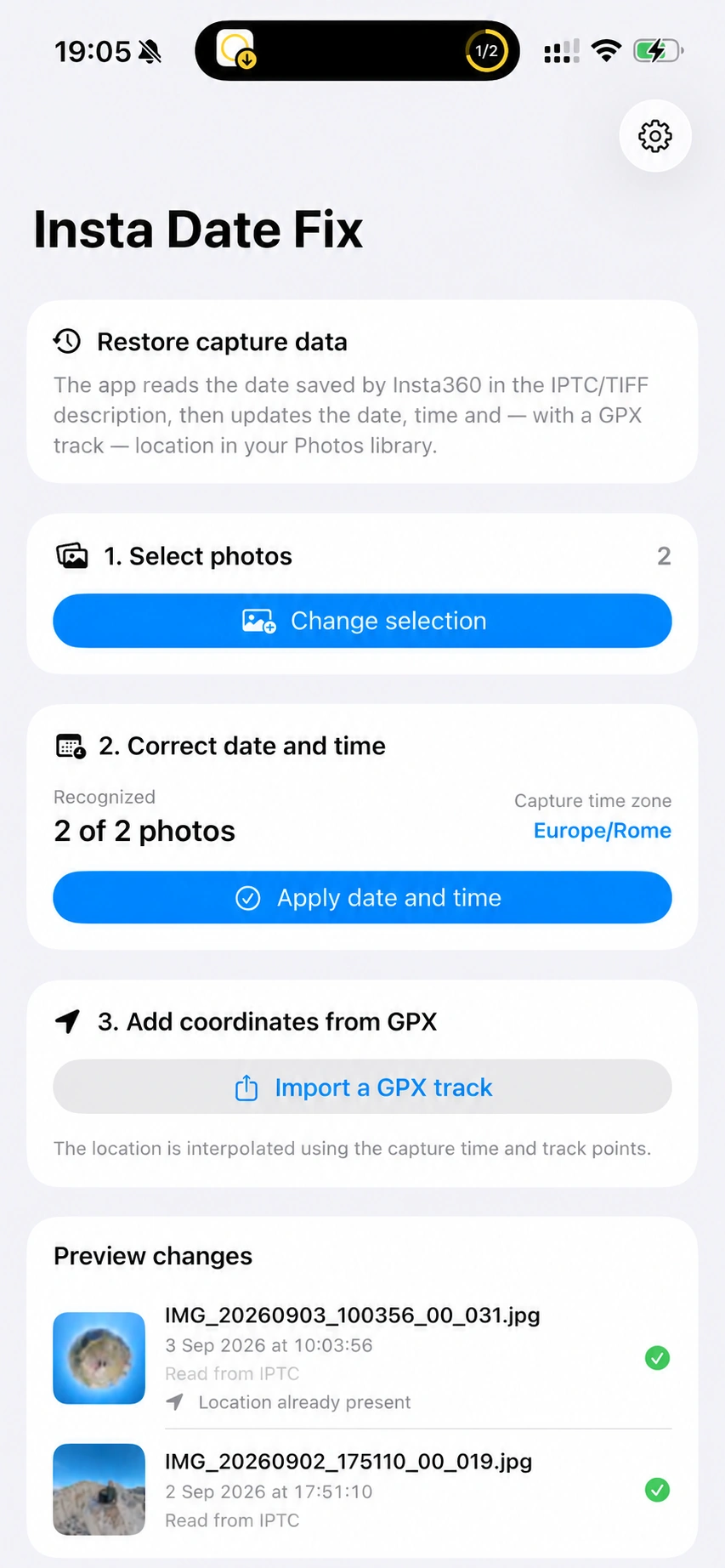
Two tools, one workflow
Date correction and geotagging are independent: use only what you need and always review the proposed changes first.
For compatible photos, InstaDateFix looks for the date in IPTC or TIFF metadata, or in the original filename.
Import a time-stamped GPX file and match each item to the corresponding point along the route.
How it works
The app processes multiple items in sequence and shows dates, sources, coordinates, and matches before applying changes.
Choose multiple photos and videos from your library using the system picker.
Review proposed dates, time zone, existing locations, and recognized content.
Confirm date correction or coordinate addition separately.
Precise control
InstaDateFix avoids indiscriminate changes and offers adjustable criteria for different GPS recordings and existing data.
Correctly interpret the time in an Insta360 filename, even when the photo was taken while traveling.
Choose 1, 2, 5, or 10 minutes to match the track’s recording frequency.
Calculate coordinates and optional elevation between the points surrounding the capture time.
Keep matching possible when a gap in the track occurs at the same location.
Existing coordinates are preserved unless overwriting is explicitly enabled.
Videos can receive coordinates using the date already stored in the Photos library.
Deliberate changes
InstaDateFix directly updates the date, time, or location fields of selected items in the Photos library. It does not alter pixels, audio, or video frames.
InstaDateFix is free. There are no subscriptions, Pro edition, trials, or locked content: date correction, GPX import, and geotagging are all included in the single app.
Open InstaDateFix on the App StoreProcessing happens on the device. No account is required, and there is no advertising, analytics, tracking, or developer-operated server.
InstaDateFix uses only the resources required for the workflow you choose.
The app persistently stores only the selected time zone.
Images where the app finds a JPG or JPEG name matching the supported Insta360 pattern in the IPTC/TIFF description or original filename.
Yes. For videos, the date already stored in the Photos library is used to find a location on the GPX track.
No. The coordinate command changes only the location.
Not by default. You must deliberately enable the dedicated option.
GPX or XML files with track points, route points, or waypoints that include valid coordinates and an ISO 8601 timestamp. Elevation is optional.
No. InstaDateFix is an independent app and is not affiliated with, sponsored by, or endorsed by Insta360.