Choose each item to share
Choose records and loyalty cards with a switch. Turn it off to withdraw an item from the group while keeping your own record.

Safe
Your personal vault
Documents, bank details, PINs, SIM cards and loyalty cards. Together in an encrypted vault on your iPhone and iPad. New features add document images and iCloud groups to share only what you choose.
iPhone and iPad · iOS 26+ · Free with Pro purchase
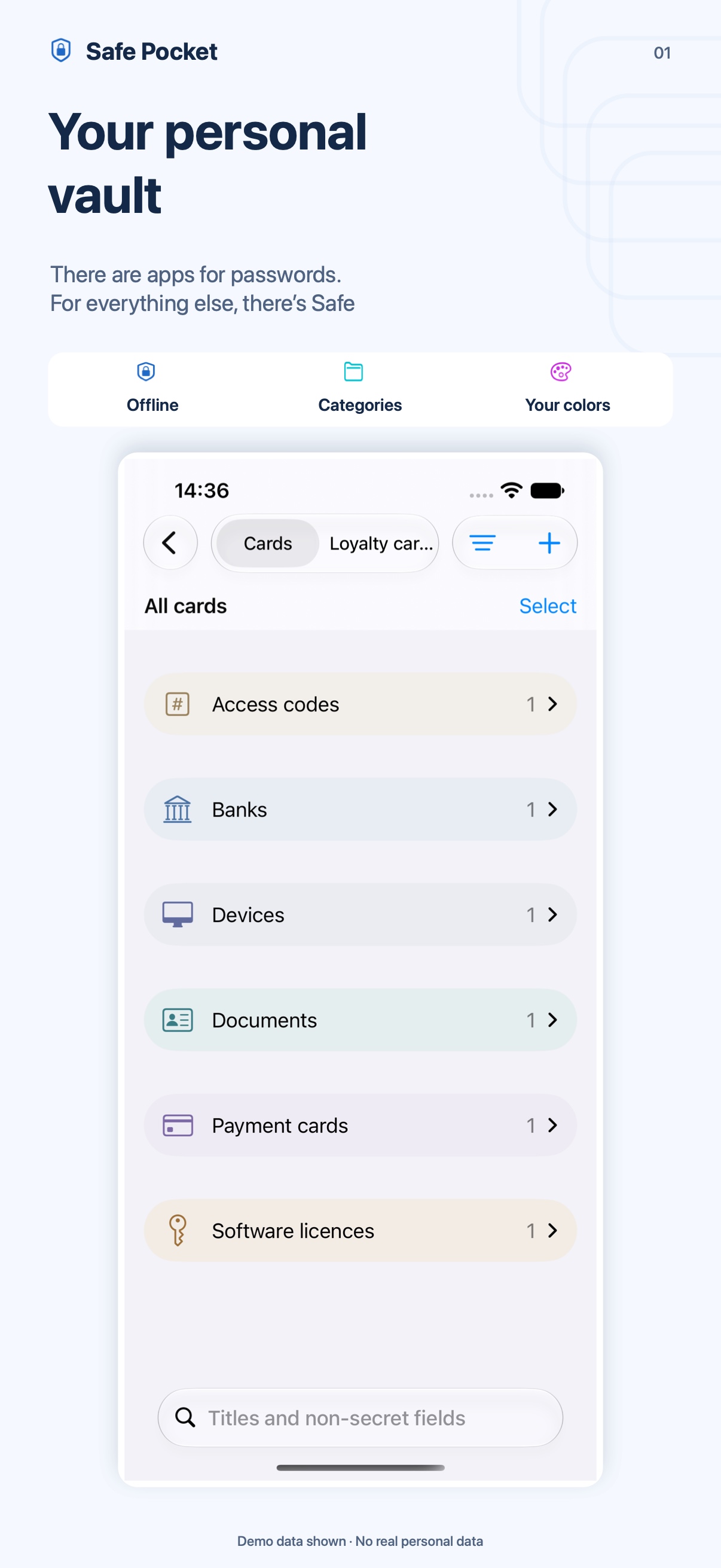
Six ways to use Safe
Choose an area: each feature has room for details and screenshots.
01 / Shared iCloud groups · New
A group for family, a trip or the details you use together. Choose what to share and with whom.
Choose, invite, share
Choose records and loyalty cards with a switch. Turn it off to withdraw an item from the group while keeping your own record.
Invite with a link and see who has accepted. Each person uses Safe and their own iCloud account, without an additional Safe account.
Choose view-only or editing permissions. Only the owner manages invitations, participants and the items to share.
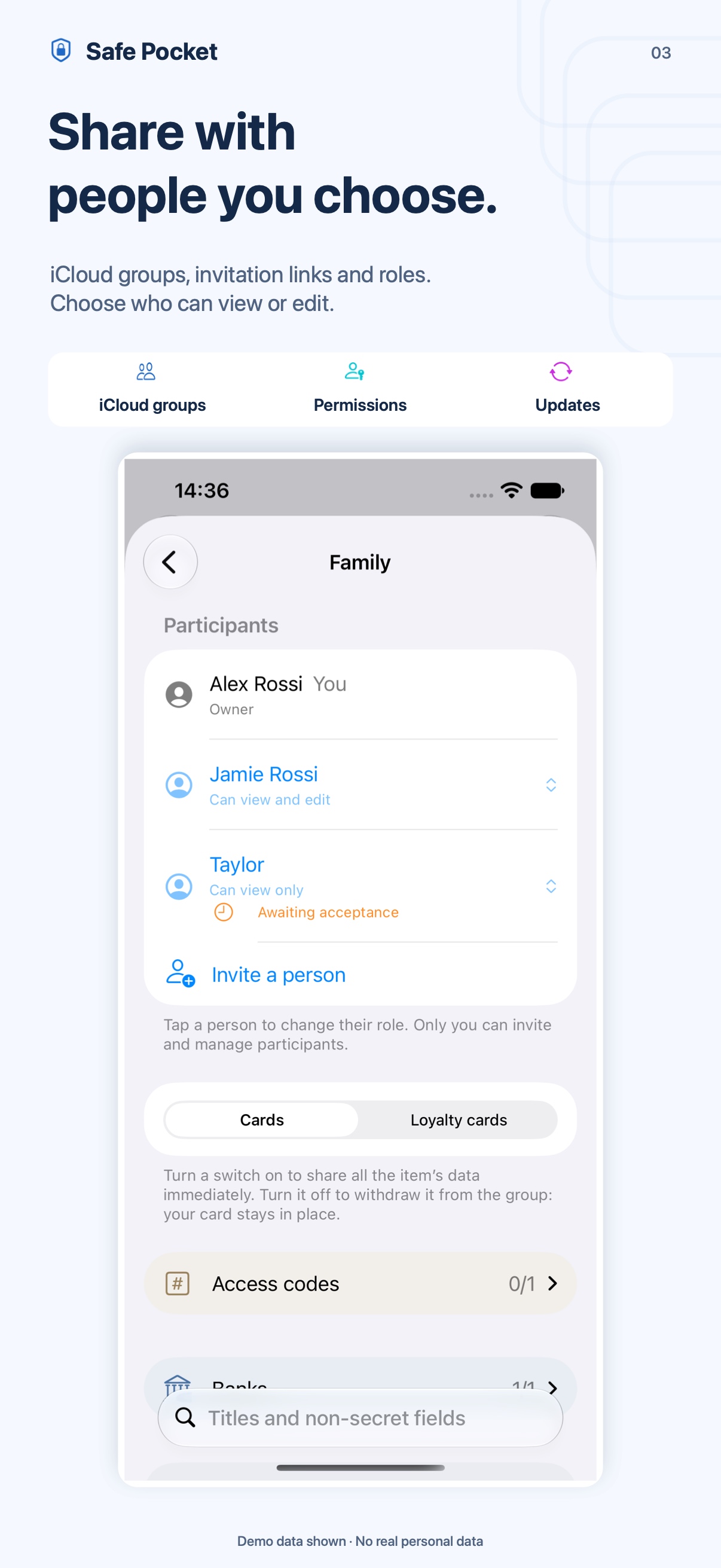
Fields, notes, codes and images update for everyone. A badge marks shared items; shared changes and deletions apply to the group.
An identical personal copy can link to the group while keeping favorites and history. Different copies stay separate, and the local archive remains available offline.
Groups use iCloud and need a connection to send or receive updates. Safe fetches changes while the vault is unlocked; timing also depends on iOS and the network. Previously exported or delivered copies cannot be revoked.
Images show demonstration data.
02 / Documents, images and expiry dates · New
Front, back and details in one record. Capture, review and prepare the copy you need.
From scan to record
Scan front and back, choose a photo or import images and PDFs from Files. Choose which pages to use in multipage PDFs.
Adjust cropping and rotation, check thumbnails and replace just one side when needed. Front and back stay together in the record.
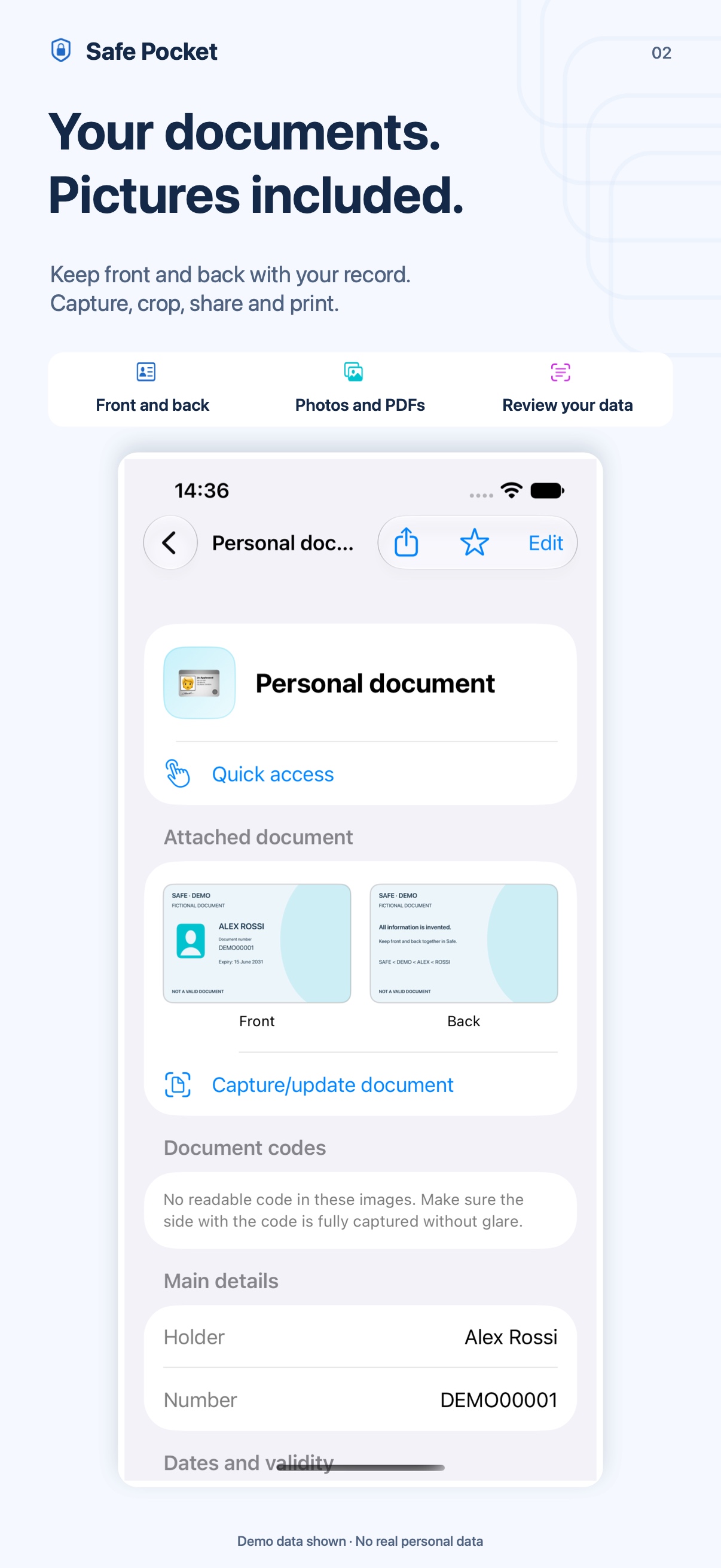
See a summary after unlocking. With iOS permission, the badge counts flagged documents without exposing their details on the Lock Screen.
From one calendar month before expiry.
From the day after the expiry date.
For supported Italian documents in the Italian interface, choose which recognized details to add or correct. Images and manual entry are available in English too.
Compare new images and existing data before saving. Safe warns before removing old sides and blocks new uploads recognized as expired or older.
Choose front, back or both. Prepare PDF or JPEG copies, save to Files, share or print with AirPrint. Images are included in backups and shared items too.
Copies do not replace original documents. Recognition depends on format and legibility; expiry reminders need a complete, valid expiry date. A document remains valid throughout the date shown.
Images show demonstration data.
03 / Records for all your information · Organize
An IBAN to copy, a license to keep or a code to find: a place for every detail.
Fields that fit your life
Bank details, documents, SIM cards, vehicles and licenses: start from a template or create a blank record with your own fields and notes.
Text, PINs, passwords, dates, numbers, URLs and IBANs. Choose what to protect, rename and reorder fields, and create your own templates.
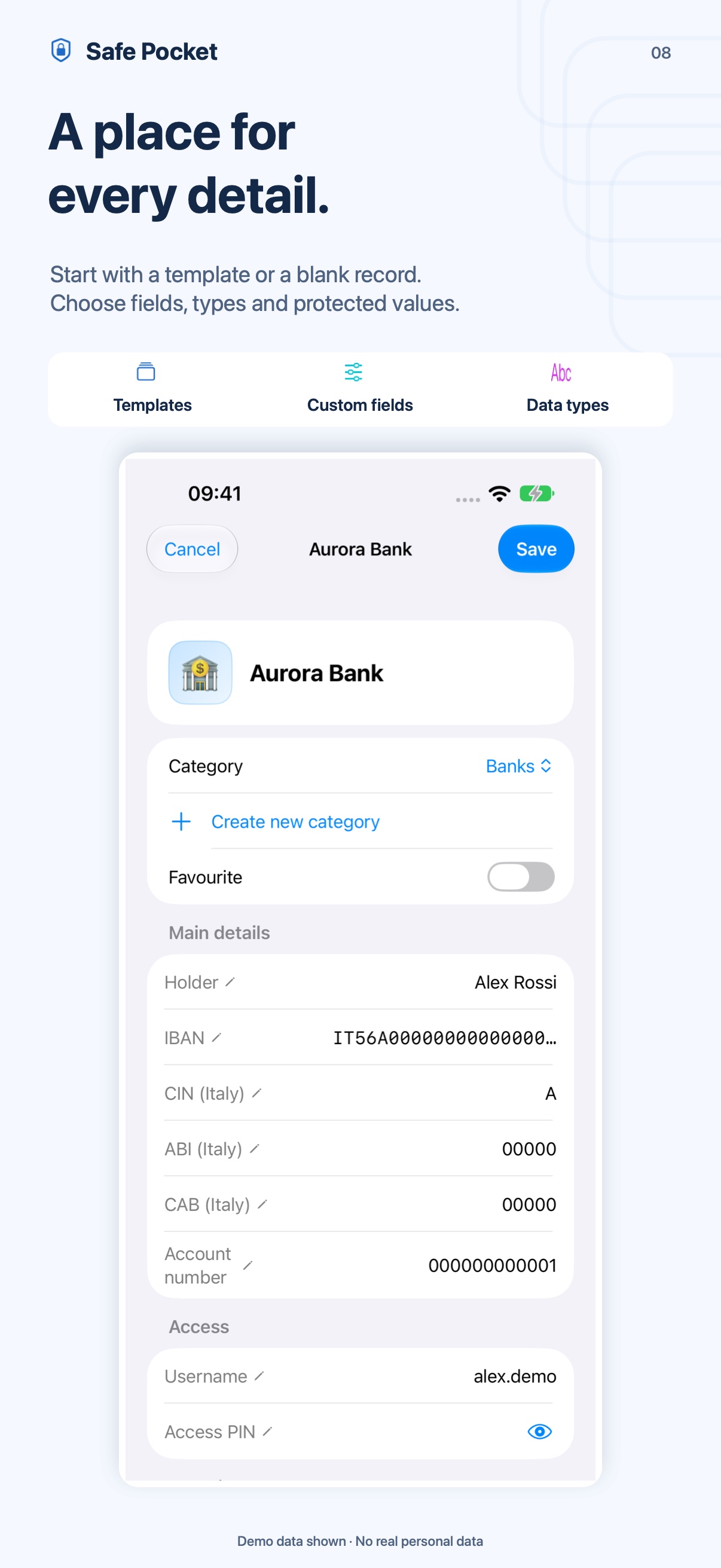
Details when you need them
Search titles and nonsecret fields. Use categories and favorites, copy an exact value or select only the details you want to share.
Previous values stay in encrypted history. Update records and distinguish current and previous vehicles. Search and ordinary exports use current values.
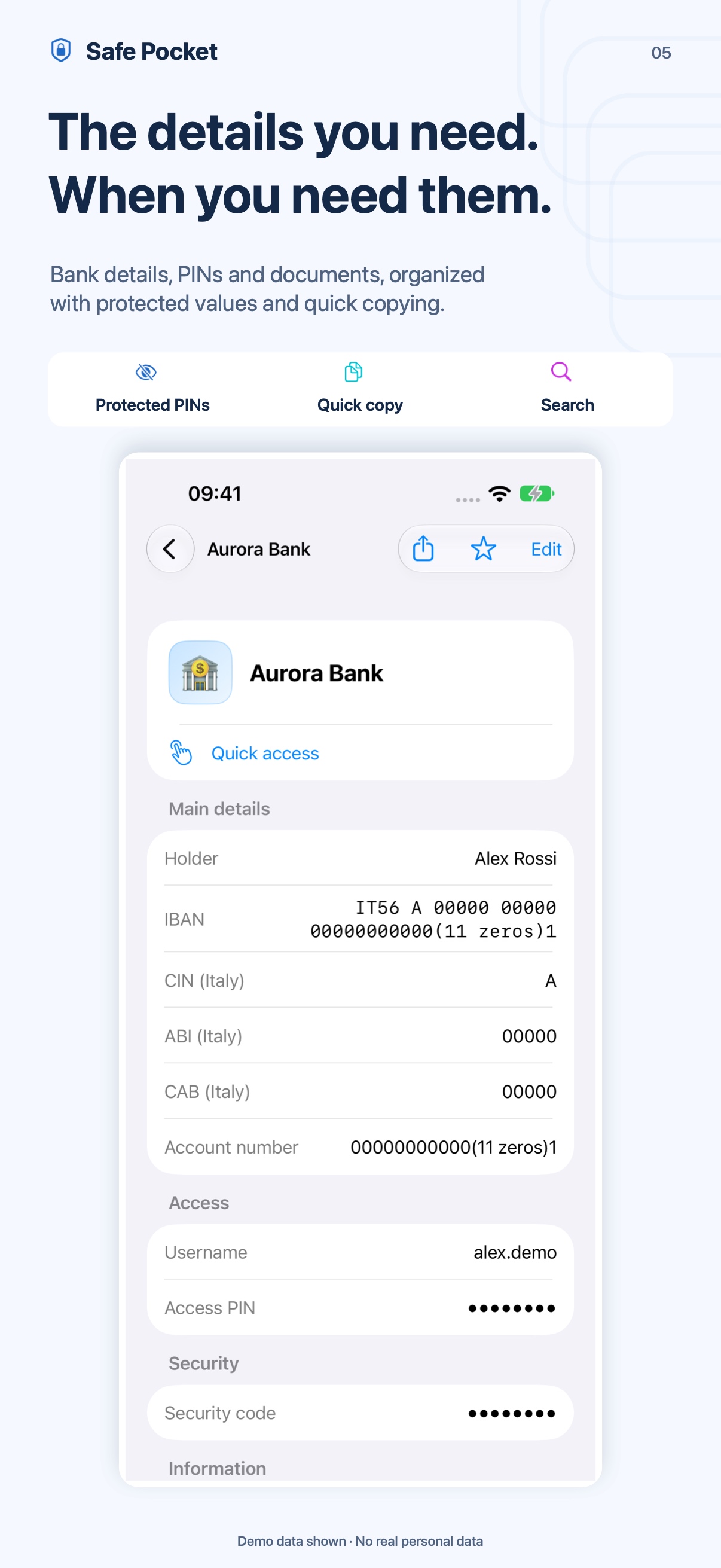
The personal archive is encrypted on your device and available offline. Face ID, Touch ID or the device passcode protects unlocking.
Images show demonstration data.
04 / Loyalty cards and checkout codes · Within reach
Group the cards you use and open the right code when needed.
Your collections
Read barcodes and QR codes with the camera or from a photo. Recognition happens on the device; manual entry is available too.
Import compatible .pkpass files or screenshots, review the preview and choose cards to add. Pass updates and NFC features stay in Wallet.
Groceries, travel or leisure: choose groups, icons, colors and favorites. Personal groups organize the collection; iCloud groups share selected items.
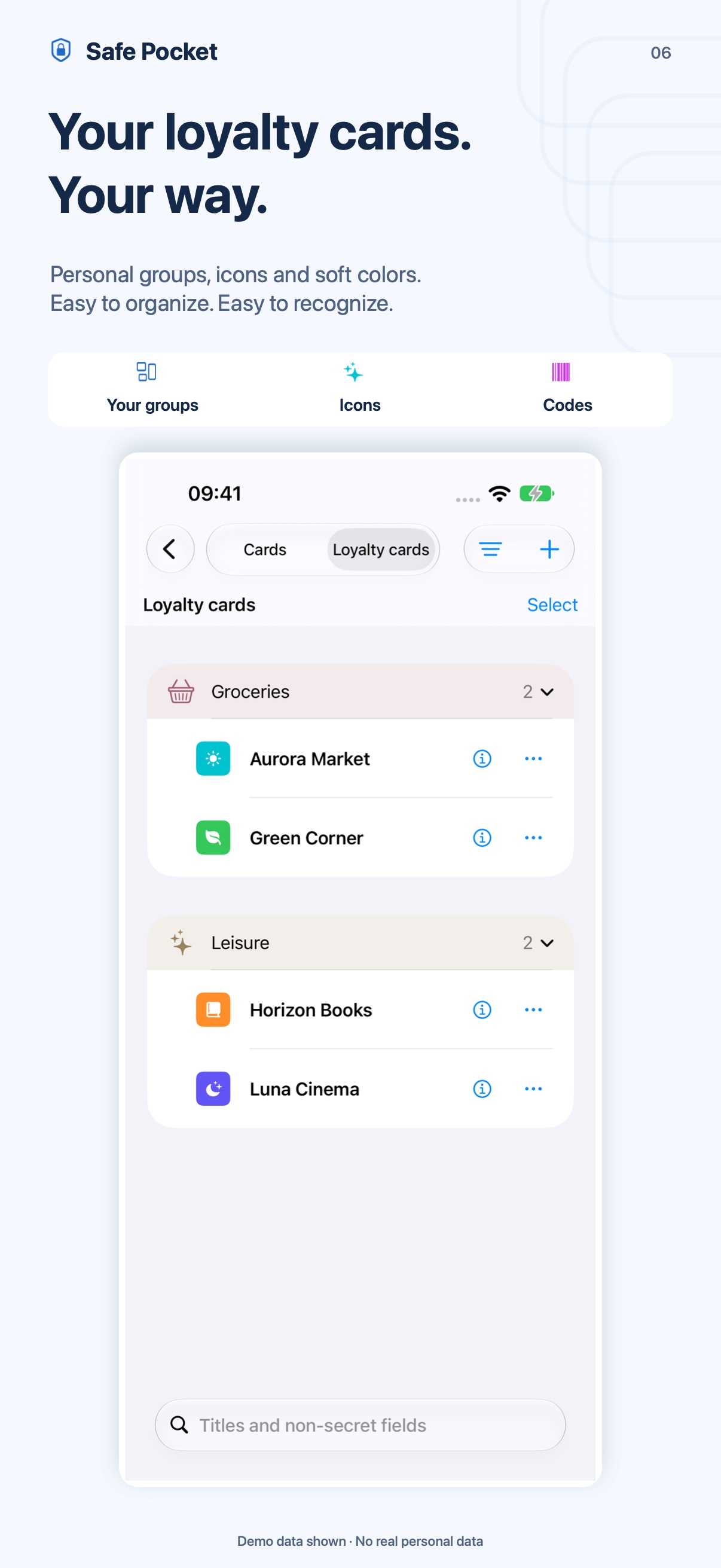
Ready at checkout
Open a code full screen and increase brightness when needed. Names and logos help identify the card, kept in the encrypted archive.
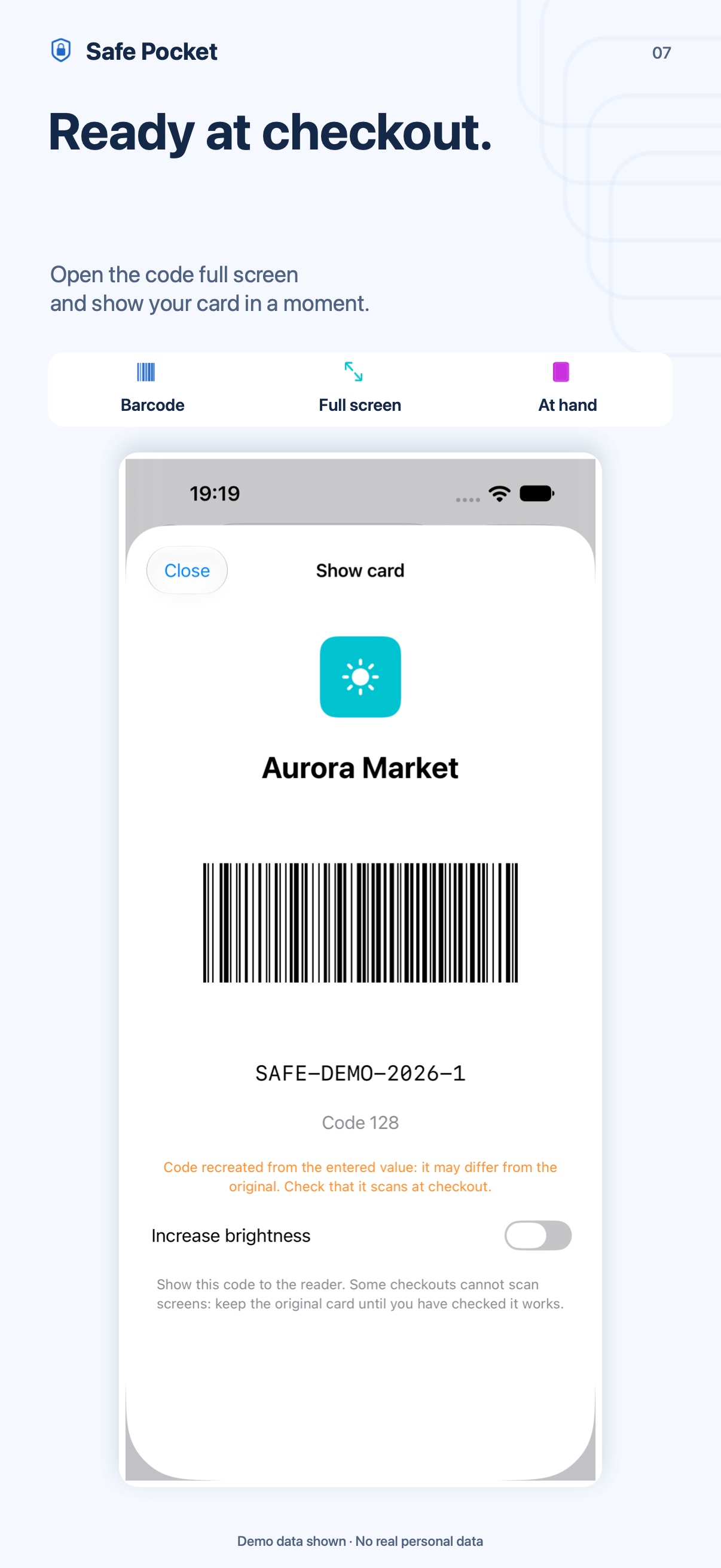
Import depends on supported formats and available information. Before leaving a physical card at home, check that the store’s scanner can read the code from your screen.
Images show demonstration data.
05 / Quick access and personalization · Fewer taps
Reach the details you use most. Choose your order and your style.
The right shortcut
Choose up to four records or cards from the touch-and-hold app icon menu. Their contents open after unlocking.
Choose up to four items for the widget, independently of the menu. Only titles, symbols and colors are shown; fields, codes and images stay in the vault.
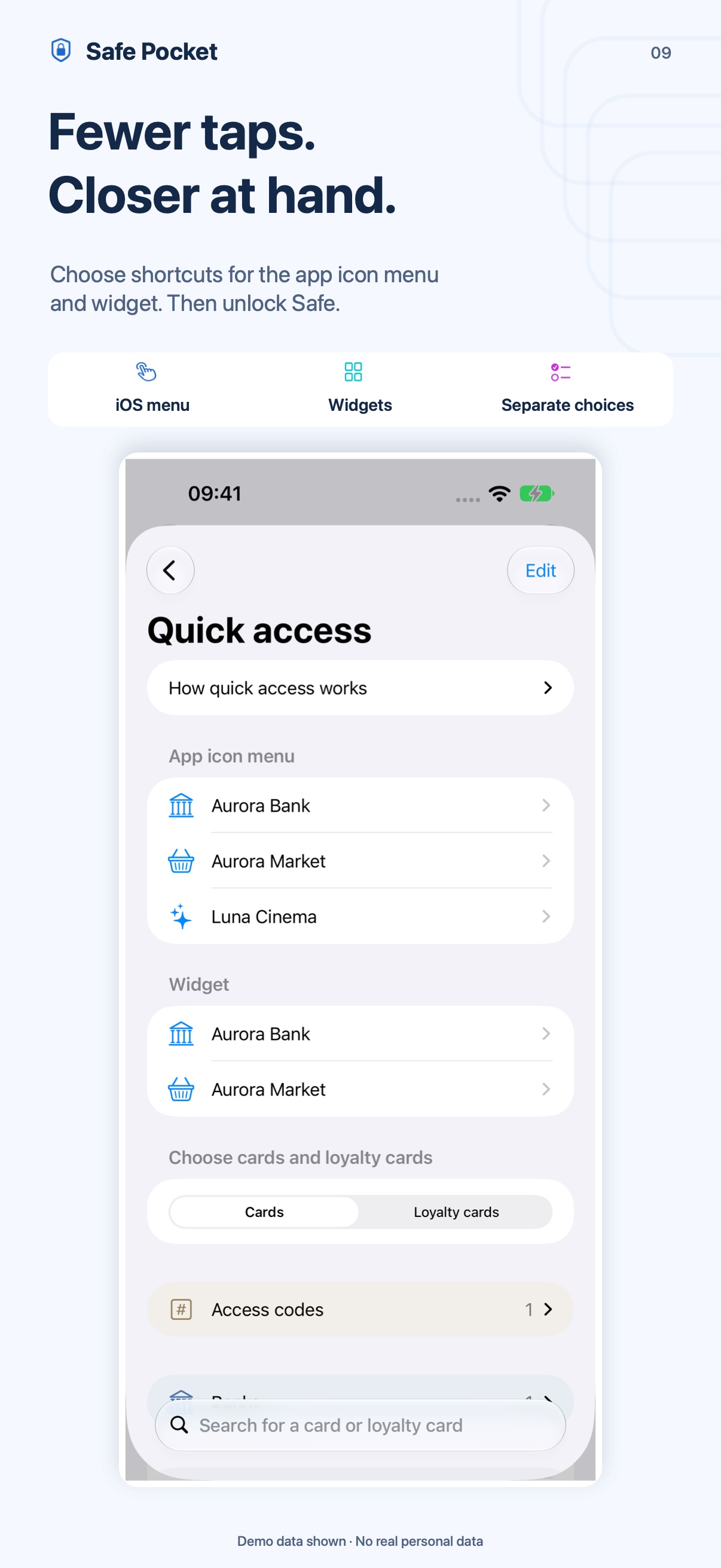
Your style
Collapsible sections and groups keep your chosen order. Sidebar categories open alphabetical lists on iPhone and iPad.
Choose Prisma, Aurora, Emerald and Gold or a classic icon. Personalize record icons and category colors too.
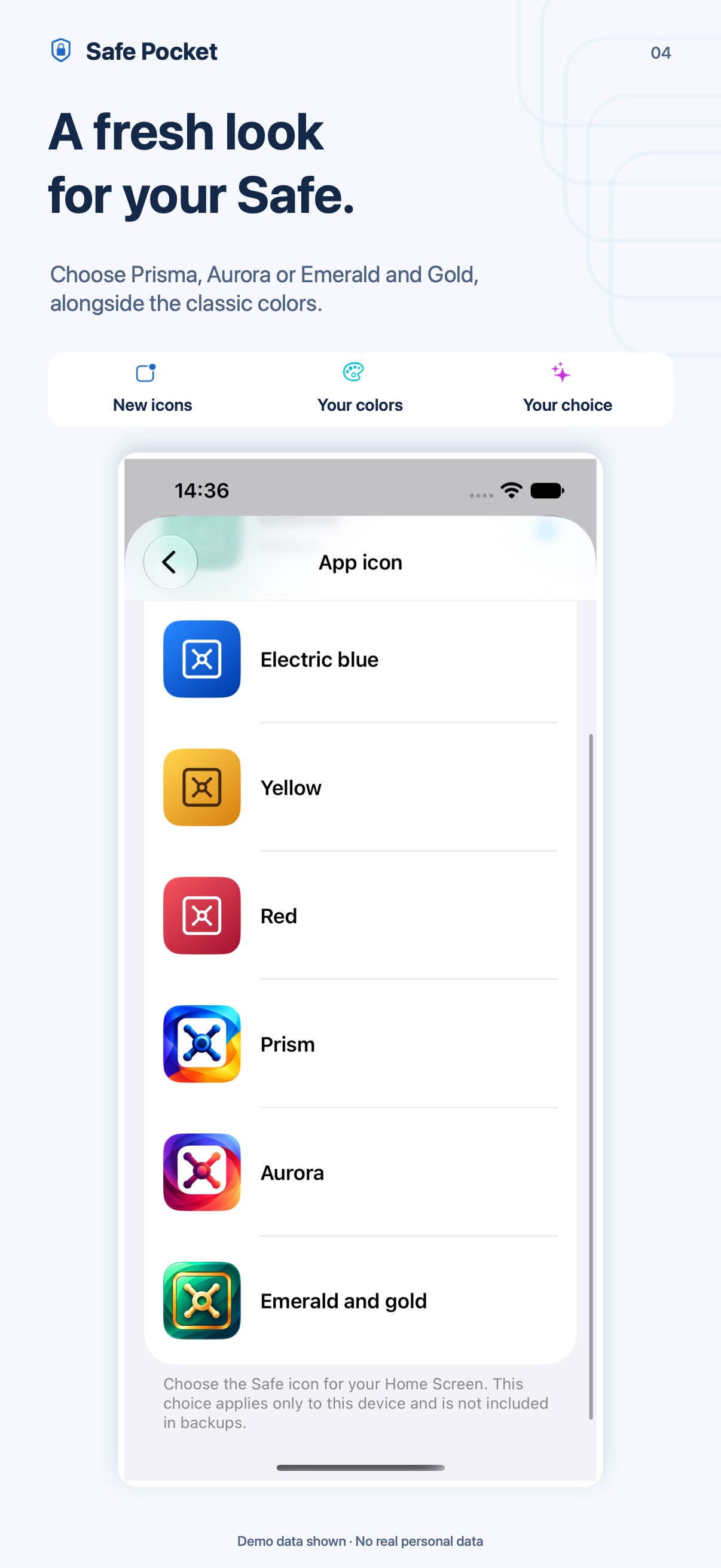
Titles and symbols selected for menus and widgets may be visible while the vault is locked. Contents open only after authentication.
Images show demonstration data.
06 / Backups, imports and Safe copies · Bring your information
Keep your entire archive or send only the items you choose.
A copy to keep
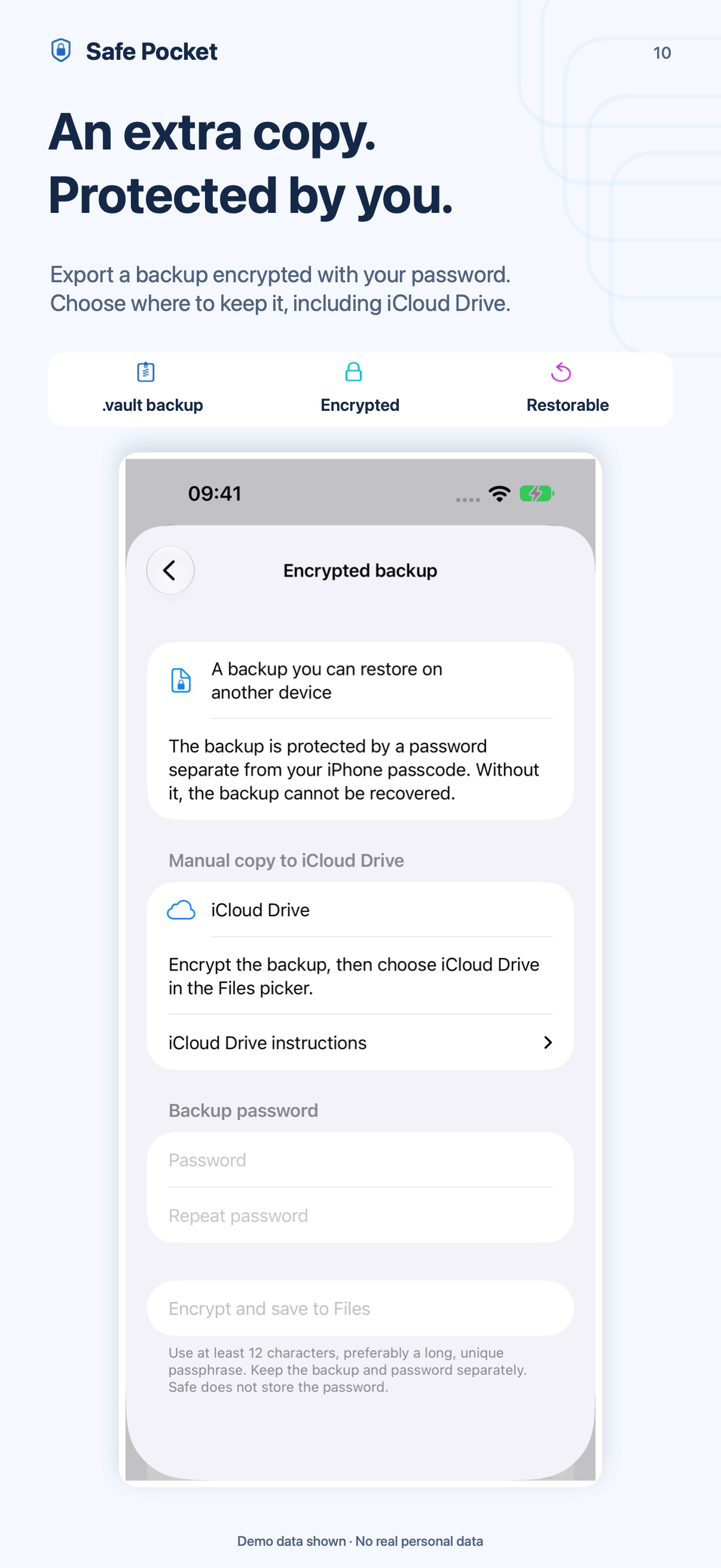
Export an encrypted .vault file, including to iCloud Drive. It includes the entire archive beyond Free’s limits. Restoring needs Safe and the file’s password.
A .vault is a manual copy; iOS manages device backups when enabled. iCloud groups instead update only selected shared items.
Send records and loyalty cards in a .safecard file with supported images and data. An optional password encrypts it; recipients confirm which independent copies to import.
Import supported CSV and .vid files with a preview. CSV exports current values without document images. Safe copies are independent; ongoing updates use groups.
Safe does not store or recover your backup password. CSV, PDF, JPEG and .safecard copies without a password are unencrypted. Delivered copies cannot be revoked.
Images show demonstration data.
Safe Free includes 2 records and 2 loyalty cards. Try every feature without limits for the first 7 days, with no automatic charge.
Safe Pro removes the item count limits with a one-time in-app purchase and no subscription. The App Store displays the price; purchases can be restored.
Items beyond the Free limit stay encrypted in the archive and included in .vault backups. Buying Pro makes them available again, even later.
A local personal archive encrypted with AES-256-GCM and automatic locking. No Safe account, advertising or analytics. Optional groups transfer only selected items through iCloud; logo and email settings lookup can use external services.
How do you restore a backup? What happens when the trial expires? How do documents and shared groups work? Find answers on the support page.
Safe · Your personal vault
Download on the App Store